 COURSE PREVIEW
About this course
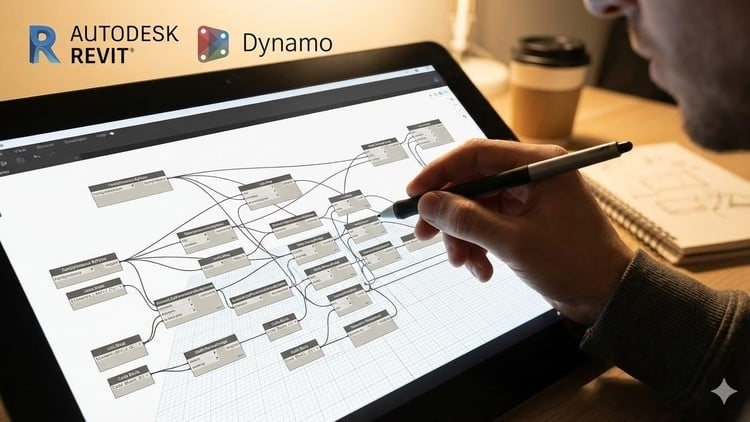
Dynamo for Revit In Hindi | BIM Automation for Beginners is a step-by-step beginner course designed to help you understand and use Dynamo for BIM automation in a practical and industry-oriented way.
This course is created for civil engineers, architects, BIM modelers, and students who want to automate repetitive Revit tasks and improve productivity using Dynamo — without any programming or Python knowledge.
We start from the Dynamo interface and settings, then gradually move toward real-world automation workflows used in professional BIM projects. Each concept is explained clearly in Hindi, with hands-on examples inside Revit.
What You Will Learn in This Course
In this course, you will learn how to:
Understand the Dynamo user interface and important workspace components
Configure Dynamo settings for efficient and error-free workflows
Work with vectors and planes to control direction and geometry
Create custom user interfaces using Data-Shapes UI for better user input
Collect and modify parameter values of Revit elements using Dynamo
Understand and work with geometry concepts used in Dynamo
Collect Revit elements and families using Dynamo nodes
Create schedules automatically using Dynamo
Create sheets and place views on sheets using automated Dynamo workflows
All examples are practical, beginner-friendly, and based on real BIM use cases.
Why This Course Is Different
Explained completely in Hindi
No prior Dynamo or coding experience required
Focus on logic building and automation thinking
Practical Revit-based examples (not theory only)
Strong foundation for advanced Dynamo courses
By the End of This Course
You will be able to:
Confidently use Dynamo inside Revit
Build basic automation scripts on your own
Automate repetitive BIM tasks
Understand Dynamo logic required for professional workflows
This course will help you save time, work smarter, and grow as a BIM professional.
Start Your Dynamo Automation Journey Today!
Enroll now and take your first step toward BIM automation using Dynamo.
— Omkar Gadhave
What you'll learn
- Understand the fundamentals of Dynamo and its role in BIM automation within Revit
- Create Dynamo scripts to automate repetitive BIM tasks without coding
- Use Dynamo to control Revit elements such as levels, grids, views, and parameters
- Apply Dynamo workflows to real-world BIM use cases used in professional projects
- Debug common Dynamo errors and optimize simple scripts for better performance
Before you begin
- A laptop or desktop computer capable of running Revit and Dynamo
- Autodesk Revit must be installed on the system
- Basic working knowledge of Revit (modeling, views, and parameters)
- No prior Dynamo or programming knowledge is required
Who this is for
- Civil engineers, architects, and MEP professionals who want to automate repetitive tasks in Revit
- BIM Modelers and BIM Coordinators looking to improve productivity using Dynamo
- Students and fresh graduates who want to start their career in BIM automation
- Working professionals who want to move from manual Revit work to smart, automated workflows
- Anyone who wants to learn Dynamo from scratch with practical, real-world examples
How do you feel about this course?
Share your reaction. Select one emoji to leave or update your rating.
Please wait 30 seconds to explore this course.
This course opens on an external website.
Join the conversation
Share a thought or question. No account required.
Be the first to share your thoughts.


![400+ JavaScript Interview Questions Practice Test [2026] preview](/images/courses/400-javascript-interview-questions-practice-test-1793388818-225dff.jpg)