 COURSE PREVIEW
About this course
Forget boring templates. Master the tool behind professional communication.
Most people think Microsoft Word is just simple typing, but they are only scratching the surface. If you want to stand out in the workplace, you need to command every single feature the software has to offer.
This comprehensive masterclass takes you deep inside Microsoft Word. Whether you are starting from absolute zero or looking to solidify your technical skills, this course covers roughly 97% of all commands across every single menu—from the File menu to the View menu.
What you will learn:
-Complete Command Literacy: Understand the exact function and application of tools hidden deep within Word’s interface.
-Advanced Navigation & References: Learn how to structure lengthy reports, manage citations, and build dynamic tables of contents effortlessly.
-Professional Aesthetics: Elevate your design skills to turn everyday documents into exceptionally polished, executive-ready outputs.
-MOS MS WORD 110 Certification Alignment: Test your knowledge with evaluative questions explicitly tied to the Microsoft Office Specialist exam objectives.
- You are not just going to be learning the ways to produce finished documents, but how to utilize Microsoft word in real time, interactive, navigational and distributive ways that even Artificial Intelligence (Ai) cannot bail you out of
What you'll learn
- Complete Menu & Command Mastery: Navigate and execute virtually every command across every menu in Microsoft Word—from the File tab to the View tab.
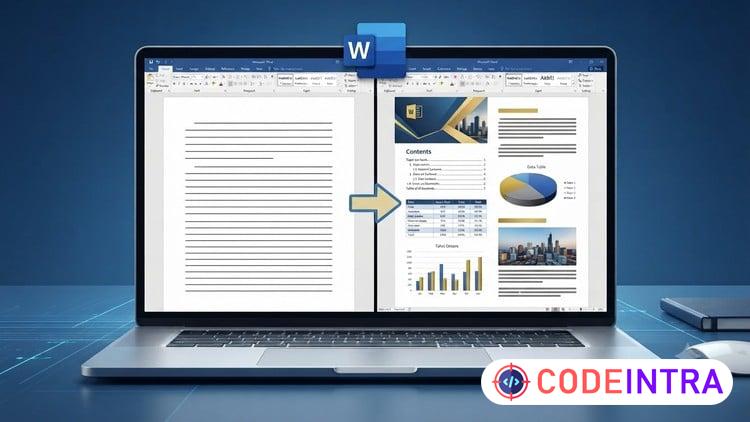
- Professional Document Transformation: Turn basic, uninspired text into polished, highly functional, and visually striking professional documents for any usecase
- Advanced Tool Utilization: Leverage sophisticated features like references, automated navigation & complex formatting tools to streamline heavy document editing
- Evaluative exercises to prepare you for MS WORDS MOS professional Exam Certification
Before you begin
- A smart device eg Laptop and Microsoft Word software installed
Who this is for
- Complete beginners to intermediate users of MS Word who want to produce masterful works that even ai cannot match
How do you feel about this course?
Share your reaction. Select one emoji to leave or update your rating.
Please wait 30 seconds to explore this course.
This course opens on an external website.
Join the conversation
Share a thought or question. No account required.
Be the first to share your thoughts.